Logo

A platform that connects institutions with coaching providers

For our client, we created a platform that links institutions with coaches to support children and teens facing personal challenges.
Hero image
01

About

LifeSpark is an innovative desktop and mobile platform that serves as a bridge between educational and public institutions (such as schools, government offices, and nonprofit organizations) and companies offering coaching services. Its primary goal is to support children and adolescents, especially those facing challenges or with special needs.
02

The challenge

The initial market research and needs assessment were conducted on the client’s side. They identified a significant gap in the market: although there are many coaching and support solutions available for adults, the needs of children and teenagers remain largely underserved. This insight became the foundation for shaping a solution focused specifically on younger users.
03

Goals

The primary goal was to design and develop a modern, minimalistic, and accessible platform that addresses the unique needs of three distinct user groups: coaches, children, and parents. This included creating a cohesive user experience across desktop and mobile, delivering full UI/UX design for both platforms, developing the desktop application, and building a shared backend to support both environments seamlessly.
Each user type required a unique experience, with dedicated features and interfaces that would support effective communication, progress tracking, and personalized interactions. Our task was to ensure that the platform would be intuitive, engaging, and secure for all users - while maintaining a consistent design language and seamless functionality across devices.

We focused on designing and developing a minimalistic, modern, and accessible interface, while also implementing a secure and scalable backend to ensure both usability and robust system performance.

04

Design

The client approached us with an initial idea for a digital product aimed at connecting children in need of support with professional coaches. During a series of intensive, multi-day workshops, we collaborated closely to shape and refine this concept into a shared, well-defined vision.
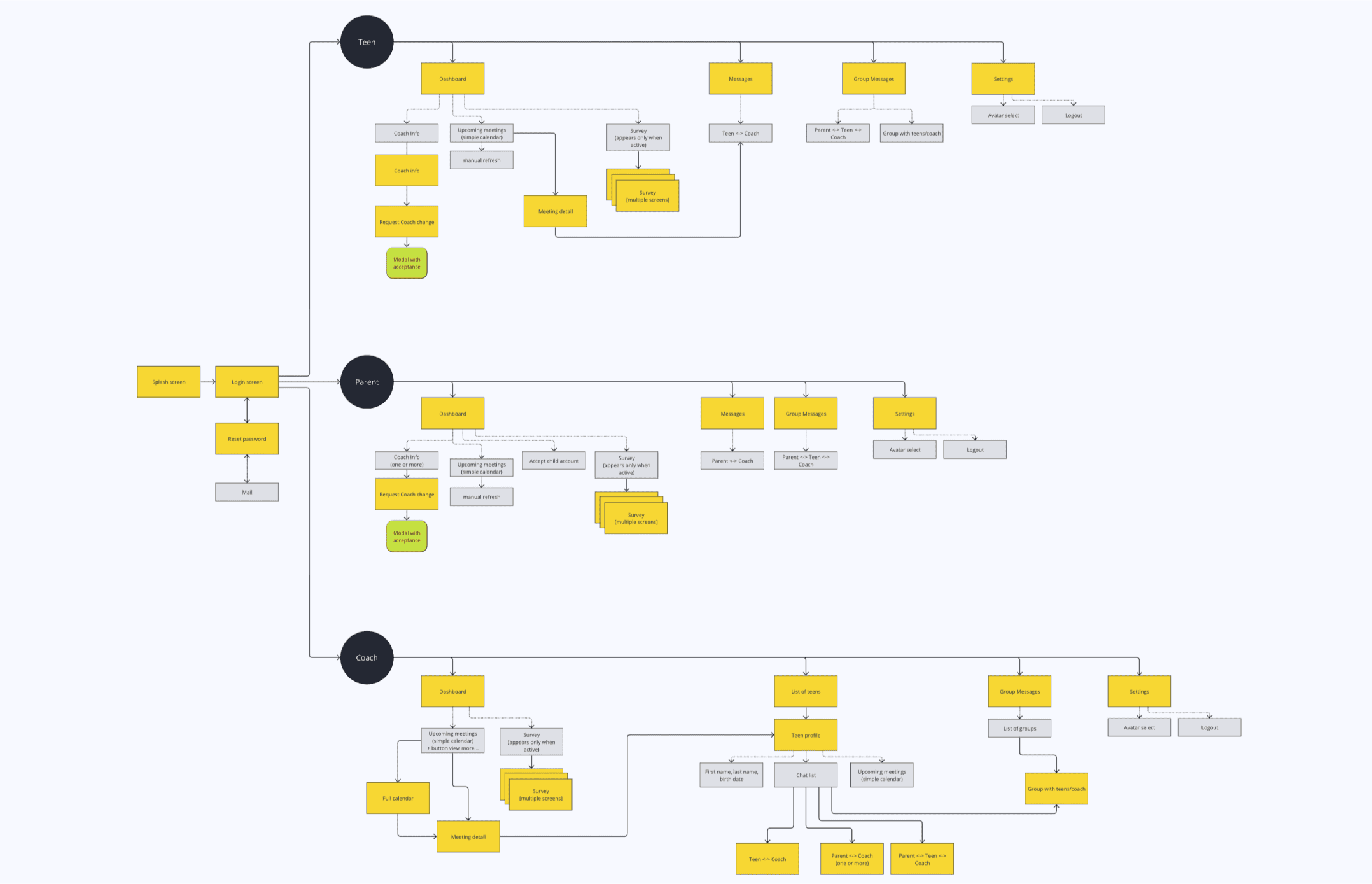
Based on the outcomes of these sessions, we designed the full architecture of both the desktop platform and mobile application - defining key functionalities, user flows, and the entire visual layer. Our development team handled frontend implementation (desktop) and ensured that the backend (desktop and mobile) was robust, secure, and optimized for seamless performance.

Different User Group

Early in the workshop phase, it became clear that the platform would need to accommodate three fundamentally different user groups: coaches, children, and parents. Each of these groups came with unique needs, expectations, and interaction patterns, which significantly influenced the platform’s architecture and user experience strategy.
Coaches required tools for scheduling, communication, progress tracking, and managing multiple users.
Children needed an interface that was simple, intuitive, and engaging - designed for accessibility, comfort, and ease of use.
Parents needed clear insight into their child’s development, along with private and secure communication with coaches.
Section image

Coach-Child-Parent Support Network

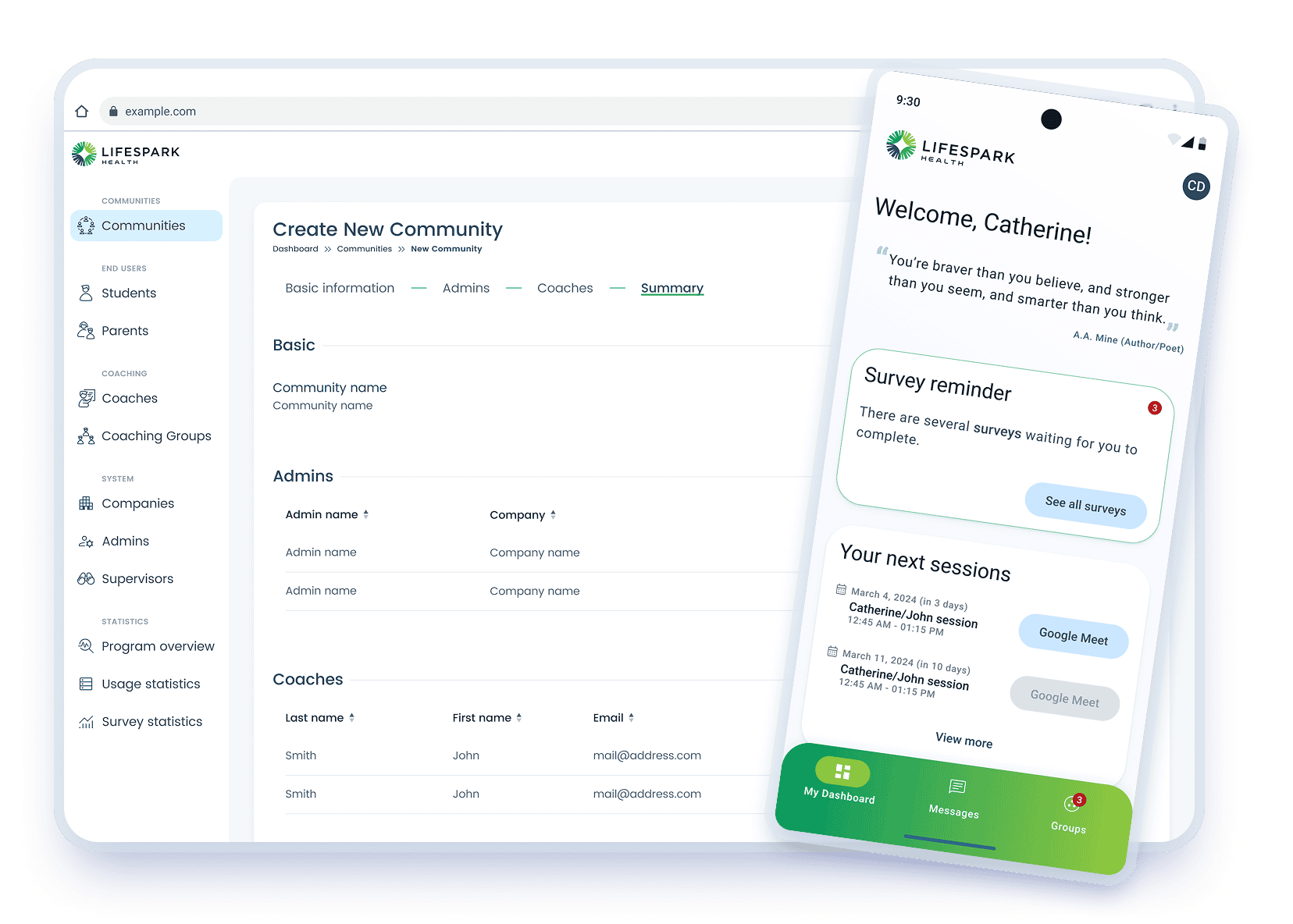
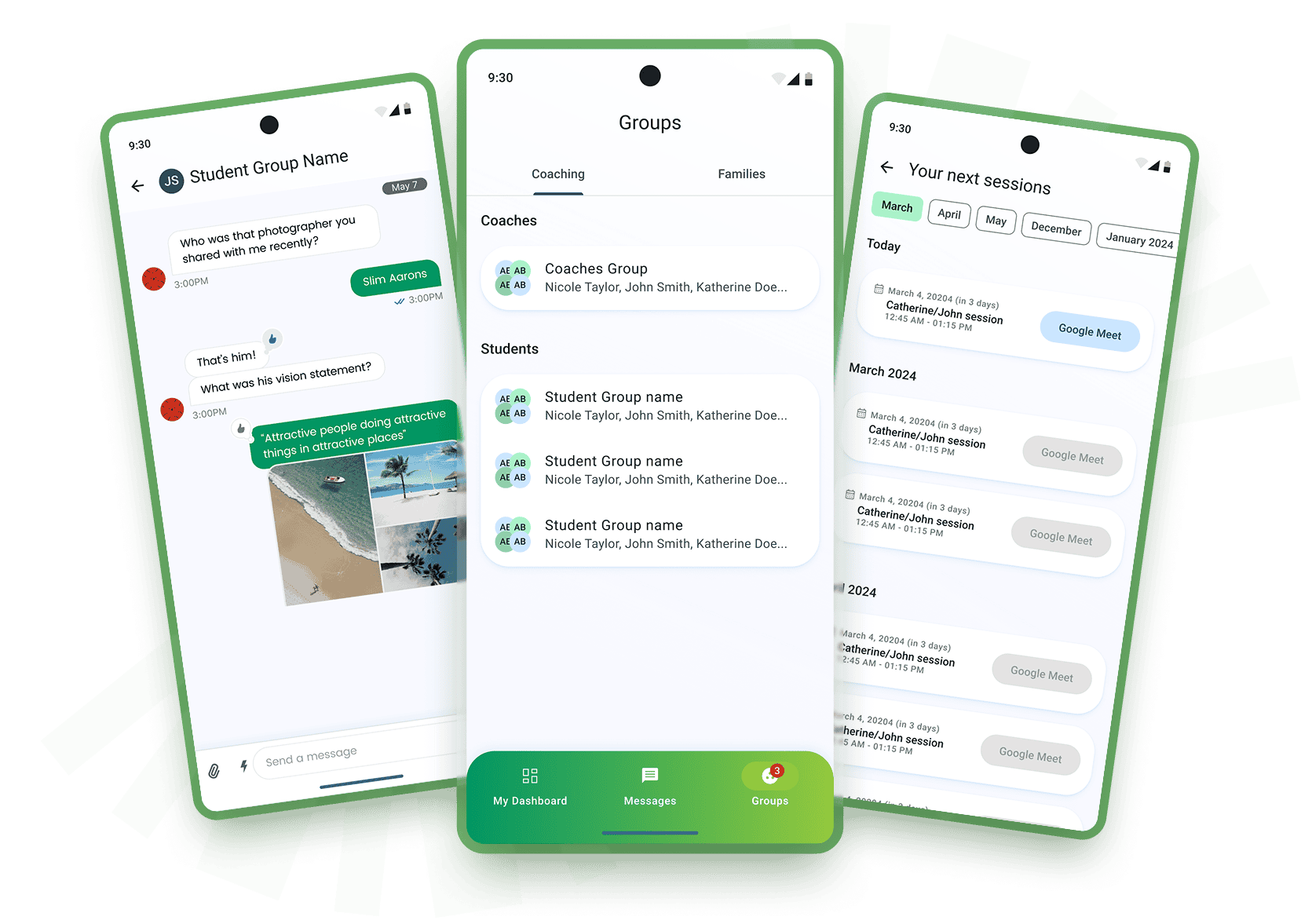
The platform facilitates direct connections between children and coaches through regularly scheduled Google Meet sessions. In addition, an integrated chat allows for continuous support and communication. Parents have access to a dedicated communication channel with the coach, enabling them to monitor their child’s progress and discuss next steps.
Furthermore, the platform includes group sessions, where children from the same institution can meet with a coach together, share experiences, and build peer support in a safe environment.
Section image

Dashboard

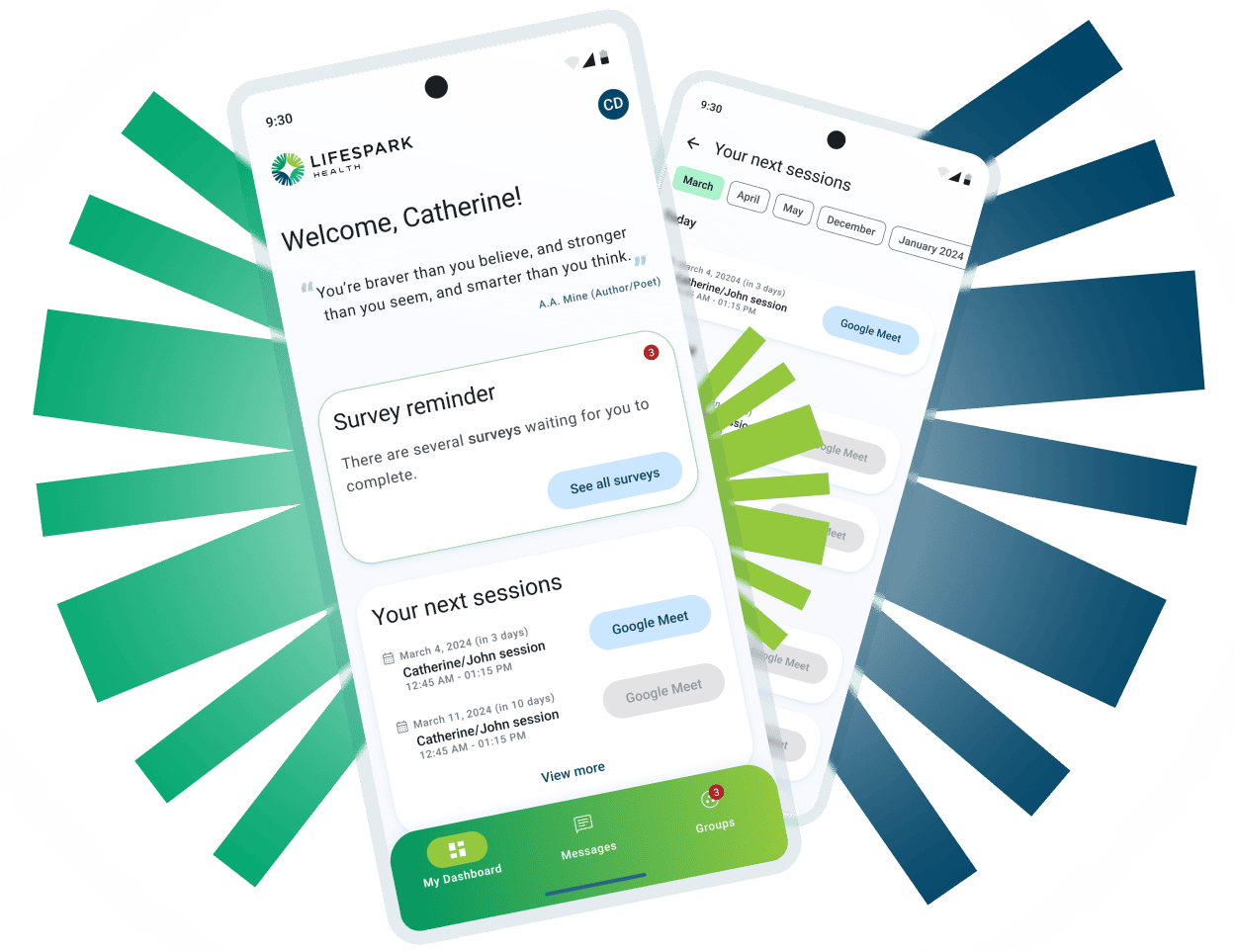
Coaches, parents and children have access to a clear and user-friendly dashboard within their profiles, designed to keep all essential information easily accessible in one place. The dashboard displays upcoming one-on-one and group sessions, complete with direct links to Google Meet calls.
Section image

Progress Tracking

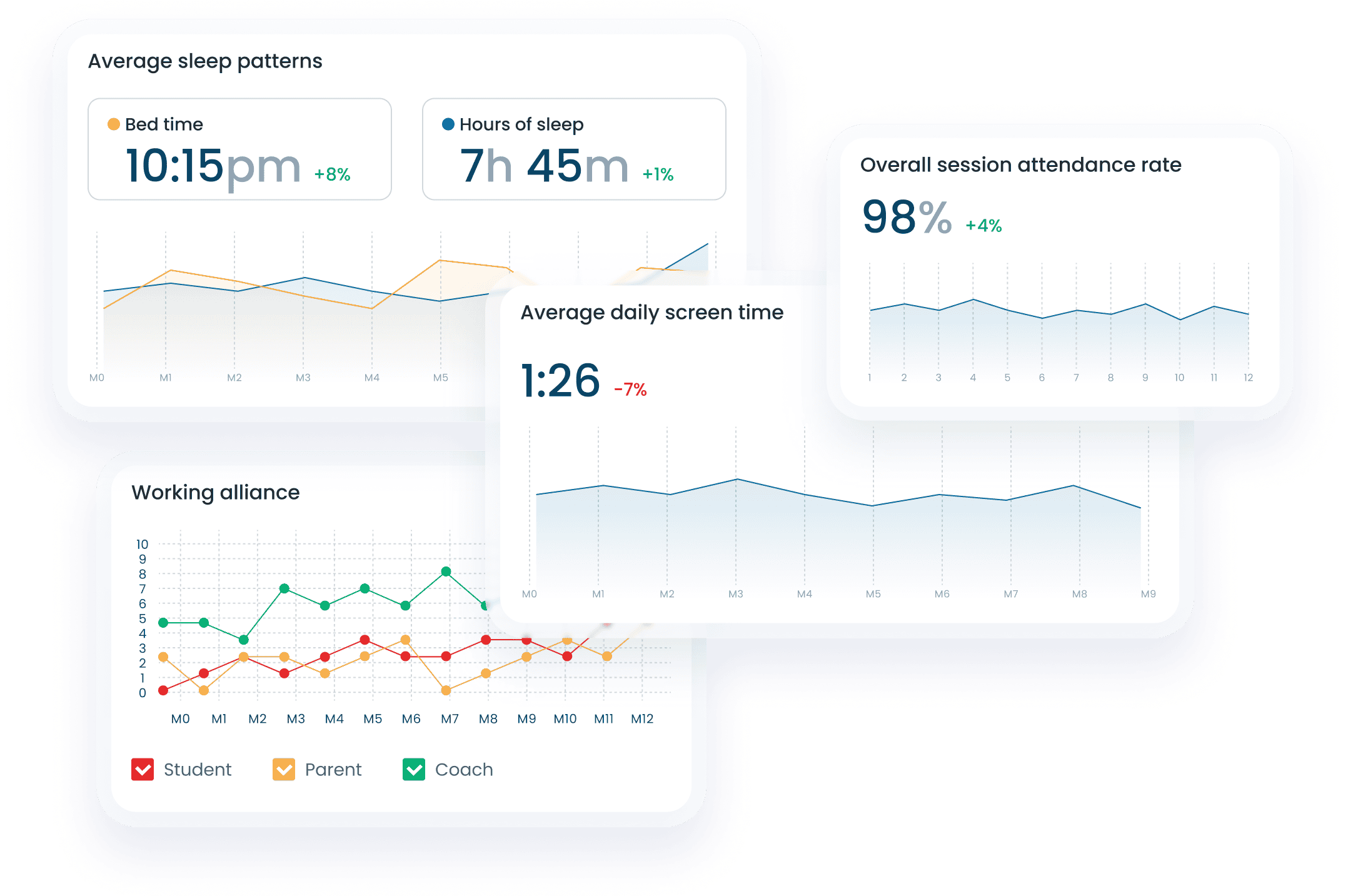
At regular intervals, the child, coach, and parents complete short surveys to assess the child’s well-being and the effectiveness of the coaching process. Progress across different areas is visualized through innovative, easy-to-read charts that provide a long-term perspective on development and the impact of the coaching journey.
Section image

Design system

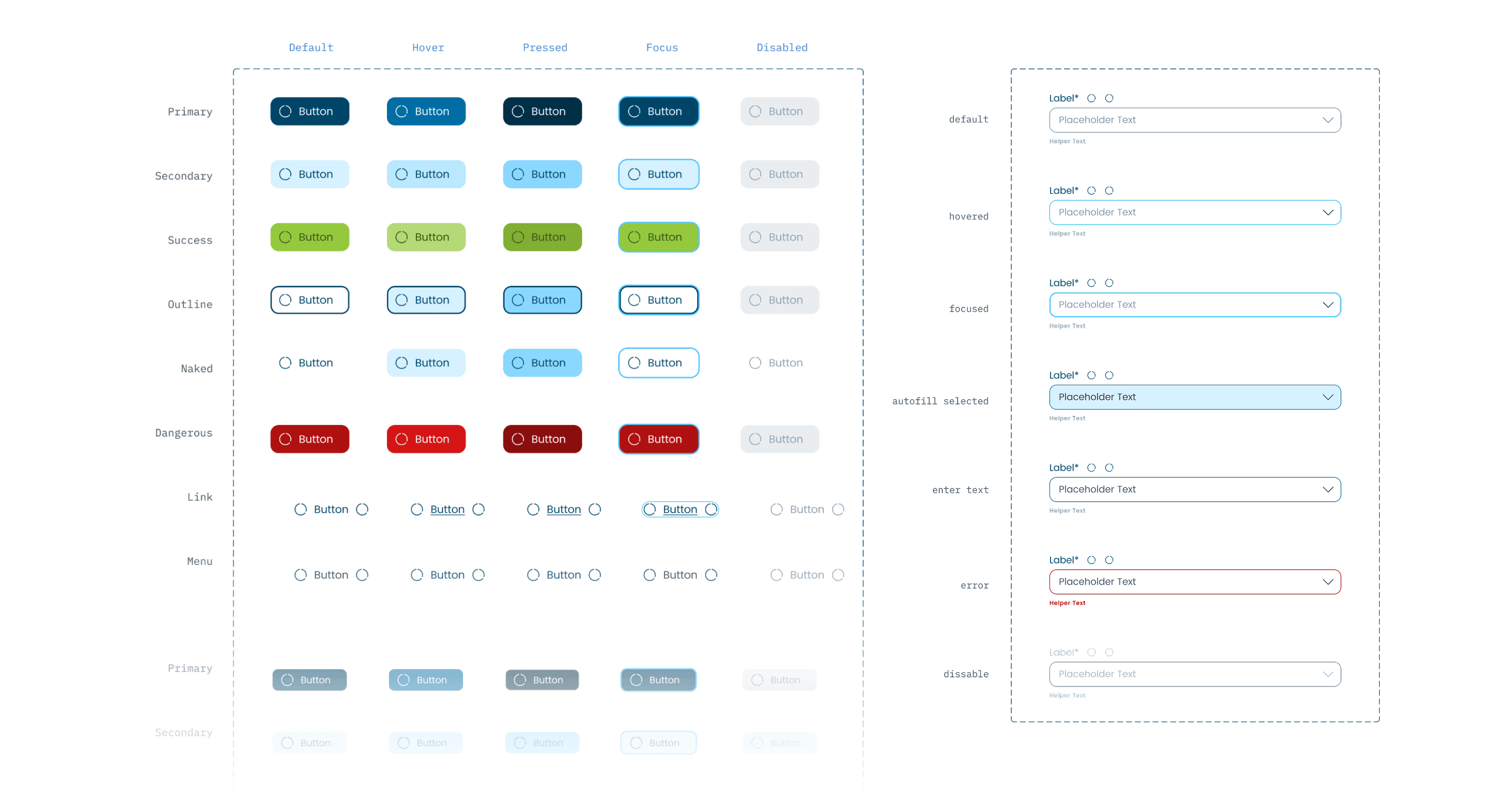
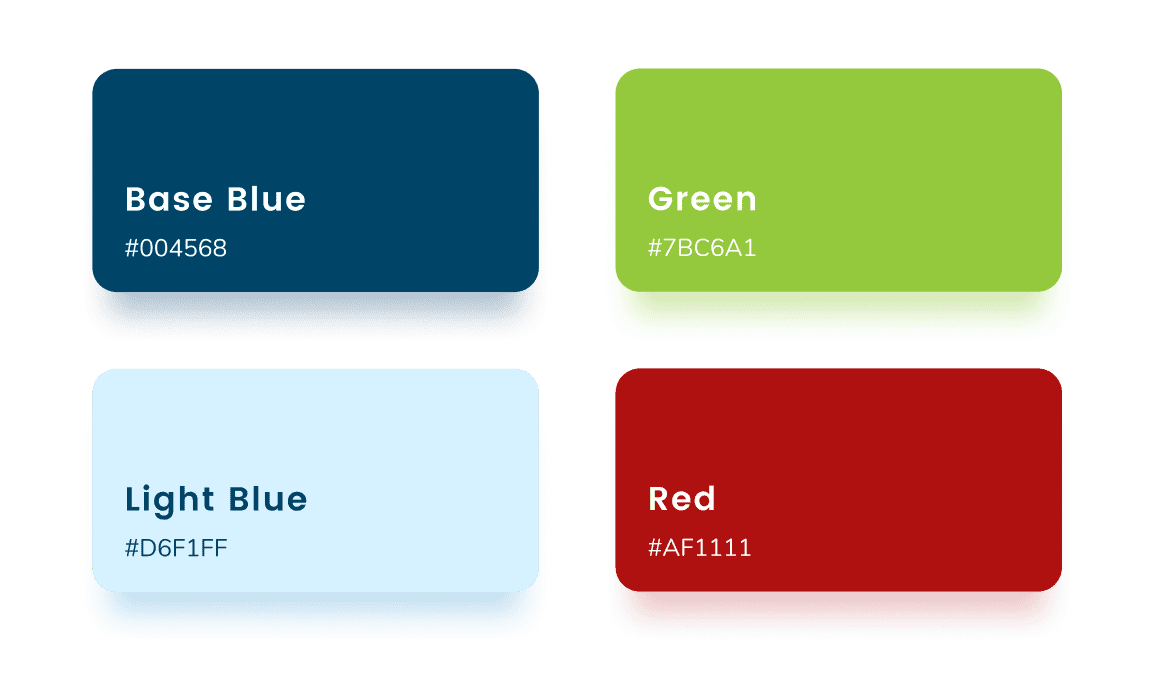
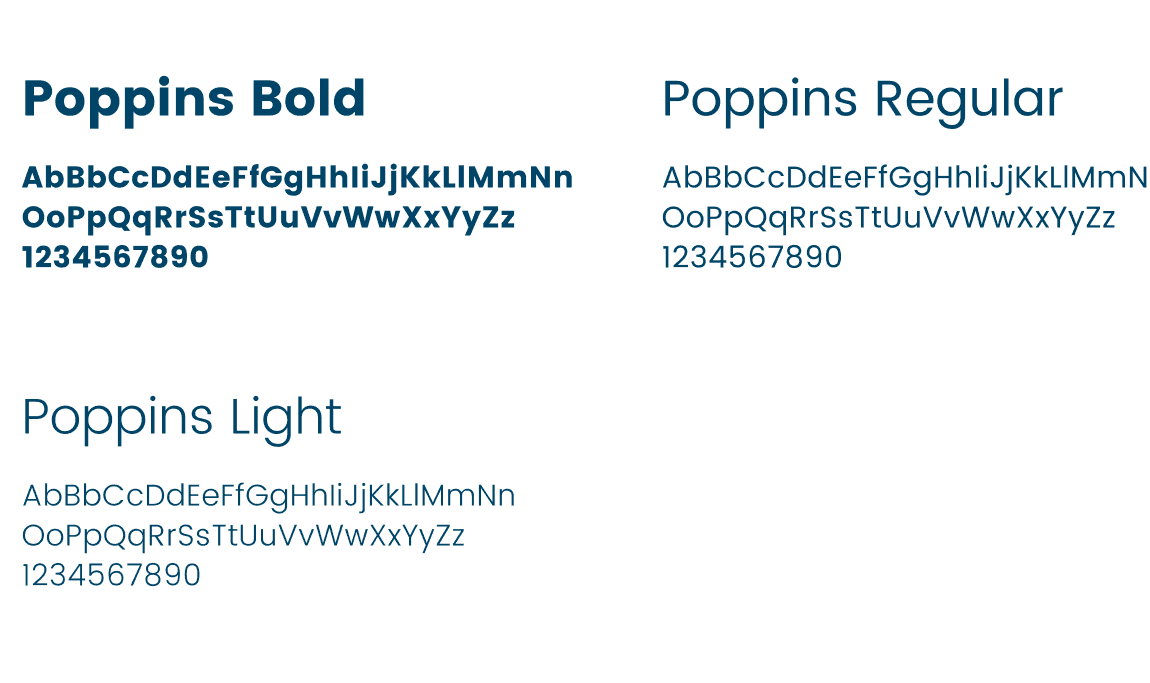
To ensure a seamless and intuitive experience across devices, we implemented Material Design for the mobile app, while for the desktop version, we created a custom design system tailored to the specific needs of the platform and its users.
Section image
Section image
Section image
05

Development

The backend was integrated with several external platforms:

Google Calendar - information about upcoming sessions.

GetStream - support for chat between users in the mobile app.

Typeform - handling surveys in the application, processing results.

Twilio - support for SMS notifications.

Sendgrid - email support.

Feature card icon

The main responsibility of the backend was to control the flow of information between the above services, the web application and the mobile application and synchronizing data between them.

Feature card icon

The web application mainly served as a central administration panel to manage users and the relationships between them, including roles, permissions, and interactions across the platform.

Technologies

Section image
Section image
Section image
Section image

Ready

to ship faster?

Start a conversation

Tell us about your project. We’ll get back within 24 hours.

Let’s talk